

CineHD APK: Your Ultimate Guide to Streaming Movies and TV Shows
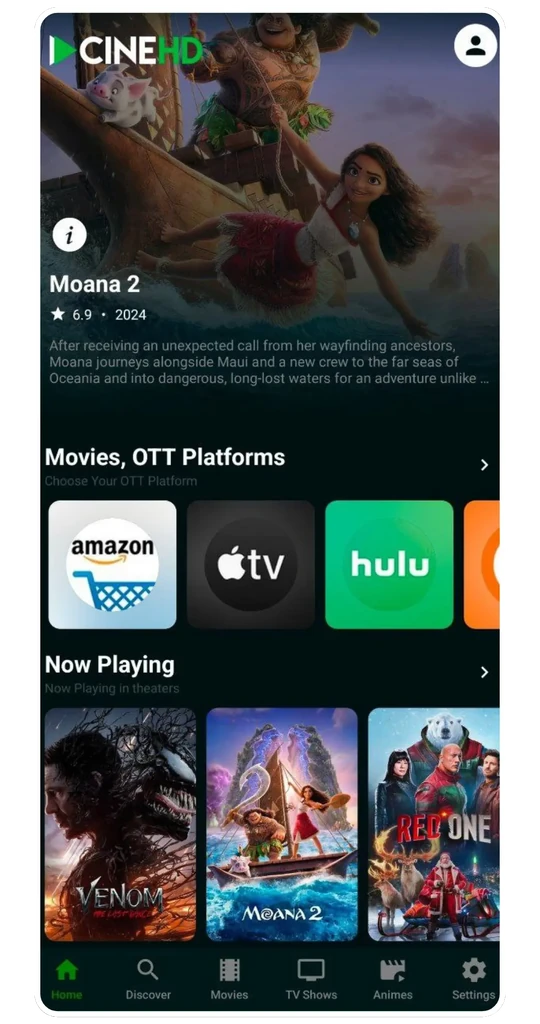
If you are an avid fan of movies and television, the CineHD APK is a fantastic platform that allows you to stream an extensive array of content from Bollywood, Hollywood, and regional Indian cinemas. This application offers easy access to various TV shows, web series, and even entertain you with popular South Indian films.
About CineHD
CineHD is designed to bring your entertainment experience to a whole new level. Users can enjoy:
- Streaming a wide range of Bollywood and Hollywood movies
- A rich collection of South Indian movies, including Tamil, Telugu, Malayalam, and Kannada films
- On-demand access to popular TV shows and web series
- A user-friendly interface with effective search and categorization features to quickly find desired content
- High-quality video playback compatible with various Android devices
How to Download and Install CineHD APK
Installing the CineHD APK on your Android device is quite straightforward. Follow the steps below:
Step 1: Download the APK FileBegin by downloading the APK file from the official website or a reliable source. Make sure to verify the file name and version number before proceeding.
Step 2: Locate the Downloaded FileUpon completion of the download, access the File Manager on your device. Navigate to the Downloads folder to locate the downloaded APK file.
Step 3: Enable Unknown App InstallationIf your device restricts installations, you need to allow the installation of apps from unknown sources. Go to:
- Settings → Security / Privacy → Install Unknown Apps
Be aware that the exact names may vary depending on your Android version or device brand.
Step 4: Install the ApplicationClick on the APK file and follow the on-screen instructions to complete the installation process.
Step 5: Open the AppOnce installation is finished, click on Open to launch the app and set up any necessary initial configurations. After setup, you might want to disable the installation of unknown apps to maintain device security.
Safety Tips Before Installing CineHD APK
Before downloading any APK, including CineHD, it's essential to adhere to safety practices:
- Always download APKs from the official website or other credible sources.
- Avoid downloading files through suspicious ads, pop-ups, or unknown Telegram links.
- Check the source and version of the APK file prior to installation.
- Consider scanning the file with a trusted Android Antivirus tool or using Google Play Protect.
- Review the permissions requested during installation, and refrain from granting unnecessary access.
- Once installation concludes, disable the unknown app installation permission if not required.
- Steer clear of installing any modified APKs or unofficial versions.

Frequently Asked Questions (FAQ)
Q1. Is CineHD APK free to use?
Yes, cinehd APK is free to download and use; however, you may encounter ads while streaming content.
Q2. Can I watch Bollywood and South Indian movies on CineHD?
Absolutely! CineHD offers a vast library of Bollywood and South Indian films, making it perfect for fans of regional cinema.
Q3. Does CineHD APK work on Android TV?
CineHD is optimized for regular Android devices. However, its compatibility with Android TV may vary, and users are encouraged to test it.
Q4. Why is video streaming buffering or lagging?
Buffering issues may arise due to a slow internet connection. Check your network speed or lower the video quality. Closing background apps may also help.
Q5. Do I need to create an account to use CineHD?
No account creation is necessary to access and stream content using CineHD.
Disclaimer
This article serves merely as a guide for the installation and use of the CineHD APK. Third-party media aggregation applications may include content from multiple sources. All films and shows are the intellectual property of their respective owners, and users must comply with copyright laws applicable in their regions. Users should verify the source and licensing of the application and its content at their discretion. This guide does not endorse any unauthorized use of copyrighted materials.